
Target artifacts (OpenAPI & diagrams)
The common-base facility generates platform‑neutral artifacts directly from your CMN models — fully independent of programming languages or frameworks.
The concrete Customer output names correspond to the documented Spring Boot example structure, and the Base output names correspond to the documentation Quickstart.
All artifacts on this page are replaceable generator output. Their directories may be overridden, so classify them by outlet rather than by path; see Generated output, ownership and regeneration.
1. OpenAPI artifacts
1.1 Model-scoped OpenAPI YAML
For each CMN model that declares non-abstract resources, the cartridge writes one document containing those model resources. It is named after the model namespace, for example:
org.joinedworkz.examples.customer.api.yamlThe document is generated from:
resourcedefinitions- method types
- parameters
- types & enums
- modeled descriptions, summaries and request/response examples
The exact metadata placement and precedence are defined in OpenAPI documentation and examples.
1.2 Component-scoped OpenAPI YAML
For each component with provided resources, the cartridge writes an additional document that aggregates all endpoints provided by that component. The resources can originate in several imported CMN resource models. The output is named after the component model namespace and component, for example:
org.joinedworkz.examples.backend_customerbackend.yamlController names or explicit tags on provided resources can group operations inside this component document. Applications do not produce another application-wide OpenAPI aggregate.
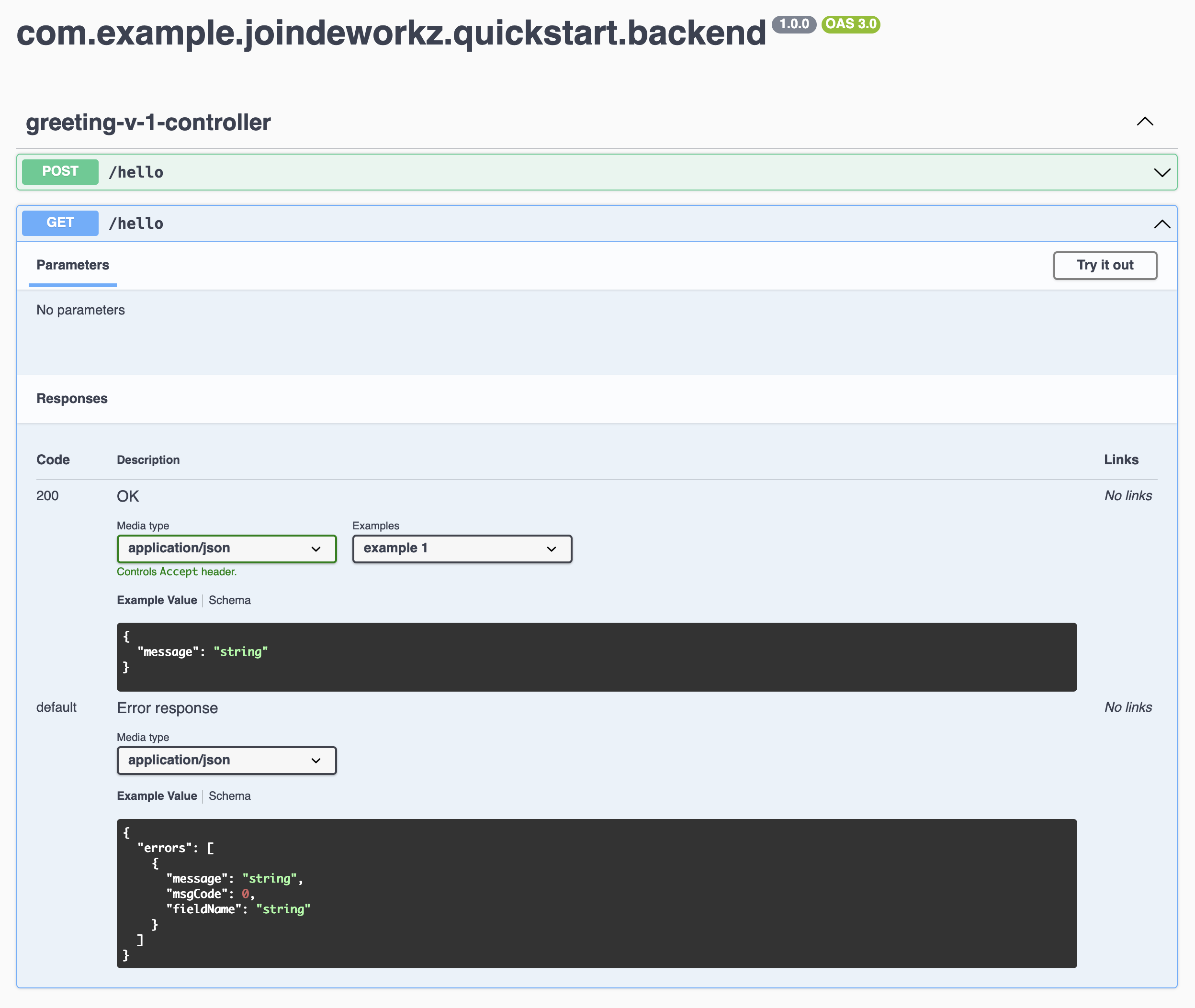
1.3 OpenAPI HTML
Each generated YAML document has a corresponding interactive HTML viewer with the YAML embedded.
For the two Customer YAML examples above, the corresponding default viewer paths are:
diagram/api/org.joinedworkz.examples.customer.api.html
diagram/api/org.joinedworkz.examples.backend_customerbackend.html
These artifacts appear in the OpenAPI outlets and can be opened directly in a browser.
2. Diagram artifacts
The Diagram cartridge generates multiple HTML diagrams:
2.1 Component overview
Shows components of the application + dependencies (incl. pseudocode-based call edges).
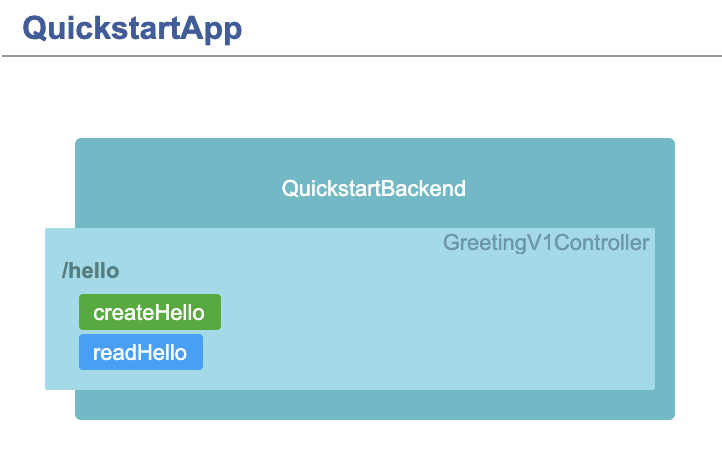
2.2 Component + provided API diagram
Shows each component and its REST endpoints. Each endpoint links to its corresponding OpenAPI HTML.
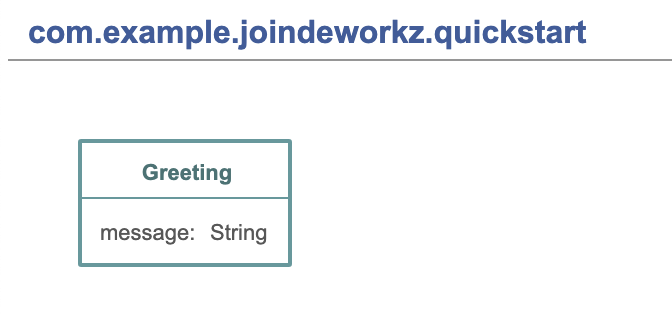
2.3 Datatype diagrams
Show complex types, attributes, relations, inheritance.
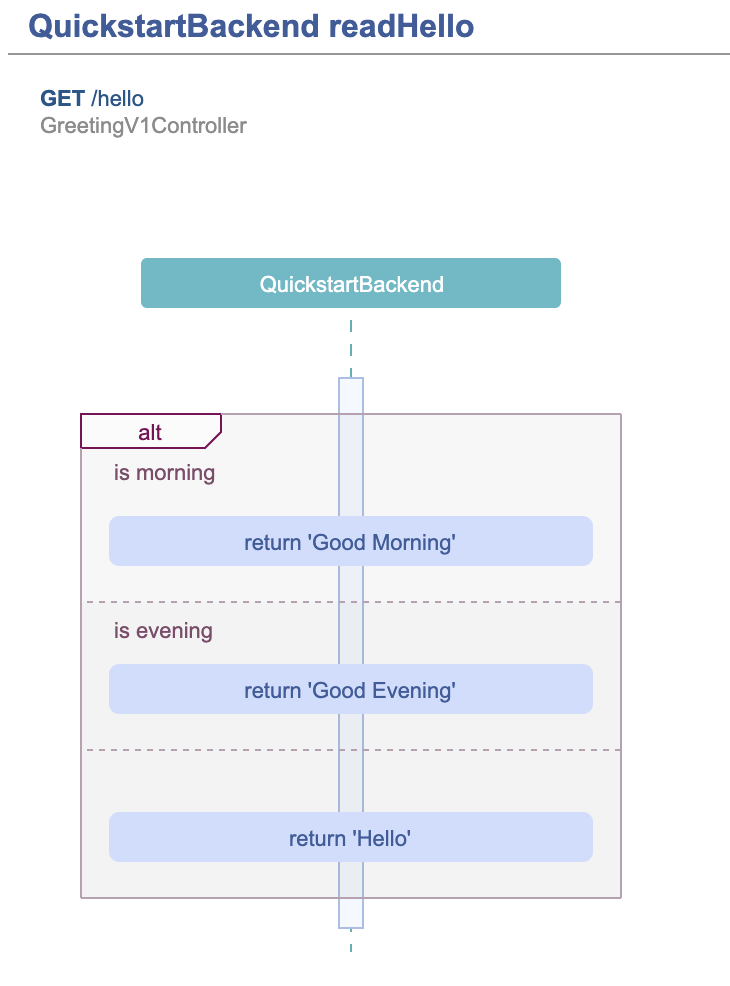
2.4 Process/sequence diagrams
Generated if pseudocode in provided endpoint of component is modeled.
3. Default outlets
JoinedWorkz uses these project-relative defaults:
src/generated/resources/openapi/*.yaml– OpenAPI YAMLdiagram/api/*.html– OpenAPI HTMLdiagram/**/*.html– diagrams
Each complete outlet directory can be overridden in joinedworkz.properties. Base cartridges retain the model's effective layer. An exact layer-specific outlet mapping can therefore route these outputs; otherwise the global outlet directory applies.
4. Example
See the Quickstart to generate and inspect src/generated/resources/openapi/com.example.joinedworkz.quickstart.yaml. The additional Quickstart viewers include diagram/api/com.example.joinedworkz.quickstart.html and the type diagrams under diagram/types/.